Ten studios. 99 tools. One sign-in.
Video, photo, vector, icons, motion, PDF, documents, audio and Hindi typing, each one open in your browser.
Multi-track timeline editing, AI captions & auto-reframe
Pro-tier NLE video editing directly inside your web browser.
- 01Browser-Native NLE
- 02AI Dubbing & Captions
- 03Single-Click Multi-Format Export
Move across the timeline to scrub the playhead
Precision image compression, conversion & AI enhancement
Ultra-fast raster image optimization and creative editing.
- 01Next-Gen Format Compression
- 02Local-First Processing
- 03Pro PSD & Layer Support
Move across to pull the layers apart
Turn images into clean, scalable SVG vectors
Professional raster-to-vector conversion and SVG optimization.
- 01Clean Bezier Curves
- 02SVG Node Optimizer
- 03Layer & Color Separation
Move across: pixels snap to a grid, the curve's handles grow
Search every icon, then copy, recolor and download it
One searchable gallery of SVG icons, emojis, animated icons and logos.
- 01One search for every kind of icon
- 02Copy, recolor and resize
- 03Open-source, with the license shown
 06 · FigFlow · Chrome extensionNew
Paste any website into Figma as editable layers
Copy a page or a single element in Chrome, then press Cmd/Ctrl + V in Figma. No plugin needed, and nothing is uploaded.
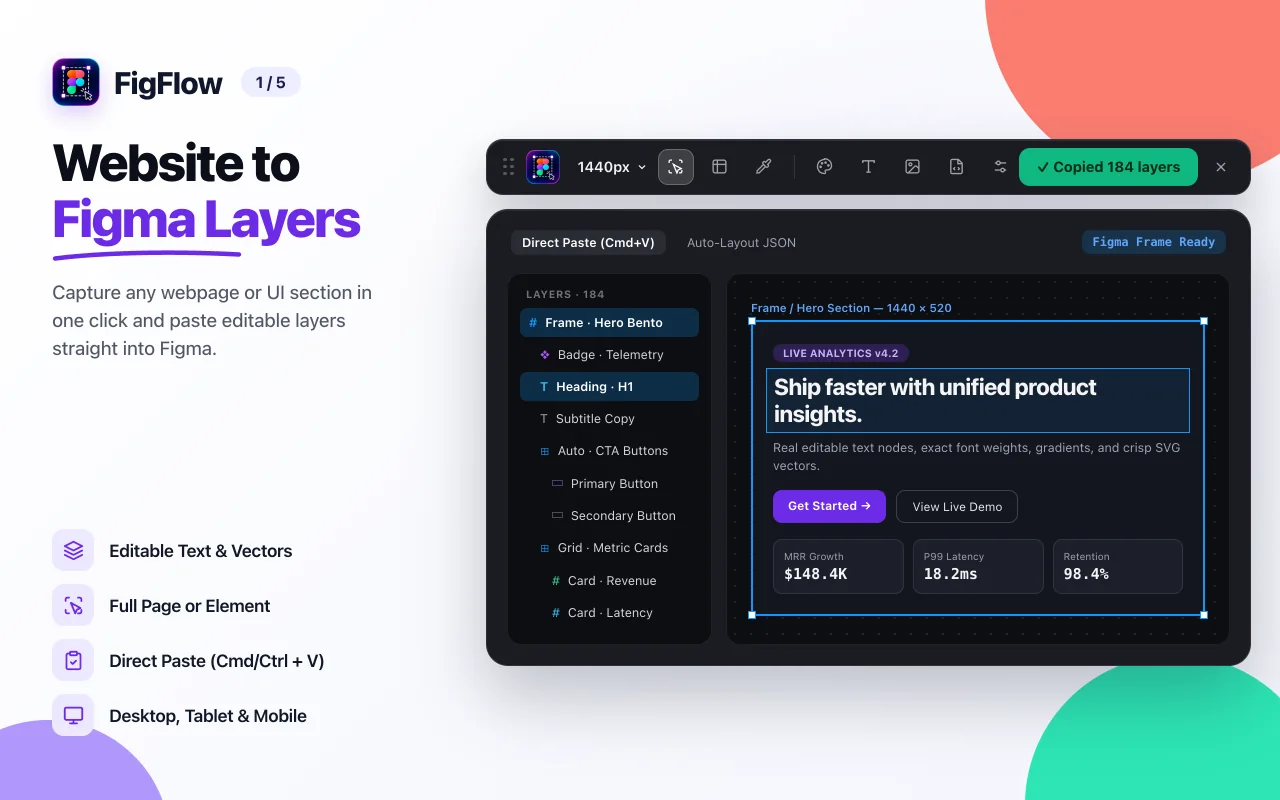
- Website to Figma layers
- Inspect CSS and pixel loupe
- Inspect and export colours
- Extract assets and typography
Move across to pull the page apart into layers
Design kinetic typography, interactive dotLottie & vector motion in minutes
AI-assisted motion graphics, Hindi & English kinetic text, Lottie AST tools, and 4K/alpha export.
- 01One-Click Spring Presets & AI Motion
- 02Glyph-Safe Hindi & English Kinetic Text
- 03Lossless Lottie AST & dotLottie v2 Suite
Move across to send a ripple down the path
Everything you need to manage, edit and convert PDF files
Professional PDF workflows right in your web browser.
- 01Client-Side Speed
- 02Exact Formatting Preservation
- 03Encrypted & Secure
Move across to fan the pages
Fast document conversion, markdown & format utilities
Effortless conversion between Word, Excel, PPT, Markdown and PDF.
- 01Multi-Format Compatibility
- 02Table & Spreadsheet Formatting
- 03Developer Markdown to PDF
Move across to turn the tiles
Convert, trim, compress, normalize and record audio
Sound files edited in your browser. Nothing is uploaded.
- 01Lossless Conversion
- 02Broadcast-Standard Loudness
- 03Private by Design
Move across: the wave rises under your pointer
Fast Hindi typing, transliteration & voice speech to text
Type in Hindi effortlessly using English keyboard (Phonetic).
- 01Smart Phonetic Typing
- 02Voice Speech-to-Text
- 03Instant Export & Copy
Move across to send a wave through the letters
Fast browser utilities for developers, creators & analysts
Instant, zero-upload local tools for everyday productivity.
- 01100% In-Browser Privacy
- 02Instant Execution
- 03Developer Friendly
Move across to scan the code
99 tools across ten studios
Each studio keeps its own colour. Pick one and start.
One file, several studios
The studios hand work to each other. Three paths people take most:
- Image to Scalable Vector Workflow
- Upload Bitmap
- Trace & Vectorize
- Optimize Nodes
- Export & Animate
- Complete PDF Assembly Workflow
- Collect Files
- Arrange & Edit
- Compress Size
- Protect & Share
- Long-Form Video to Multi-Platform Reels
- Import Footage
- Silence Trim & Cut
- Bilingual Captions
- Multi-Format Master
Your files stay on your device
Wherever the browser can do the work, it does. Audio Studio, the file utilities and many PDF and image tools process locally, with nothing uploaded.
Start with any studio
Every tool is free: no card, no subscription. One sign-in for every ViPlay app.