 FigFlow
Paste any website into Figma as editable layers
Copy a website, a page or a single UI element in one click, then press Cmd/Ctrl + V inside Figma. No companion Figma plugin is needed. FigFlow also has an on-page CSS inspector, a colour and WCAG contrast auditor, an asset extractor and a design spec generator.
किसी website, page या एक UI element को एक क्लिक में copy करें, फिर Figma में Cmd/Ctrl + V दबाएँ। किसी Figma plugin की ज़रूरत नहीं। साथ में CSS inspector, रंग और WCAG contrast की जाँच, asset extractor और design spec generator भी।
Free · Chrome · English · No account needed
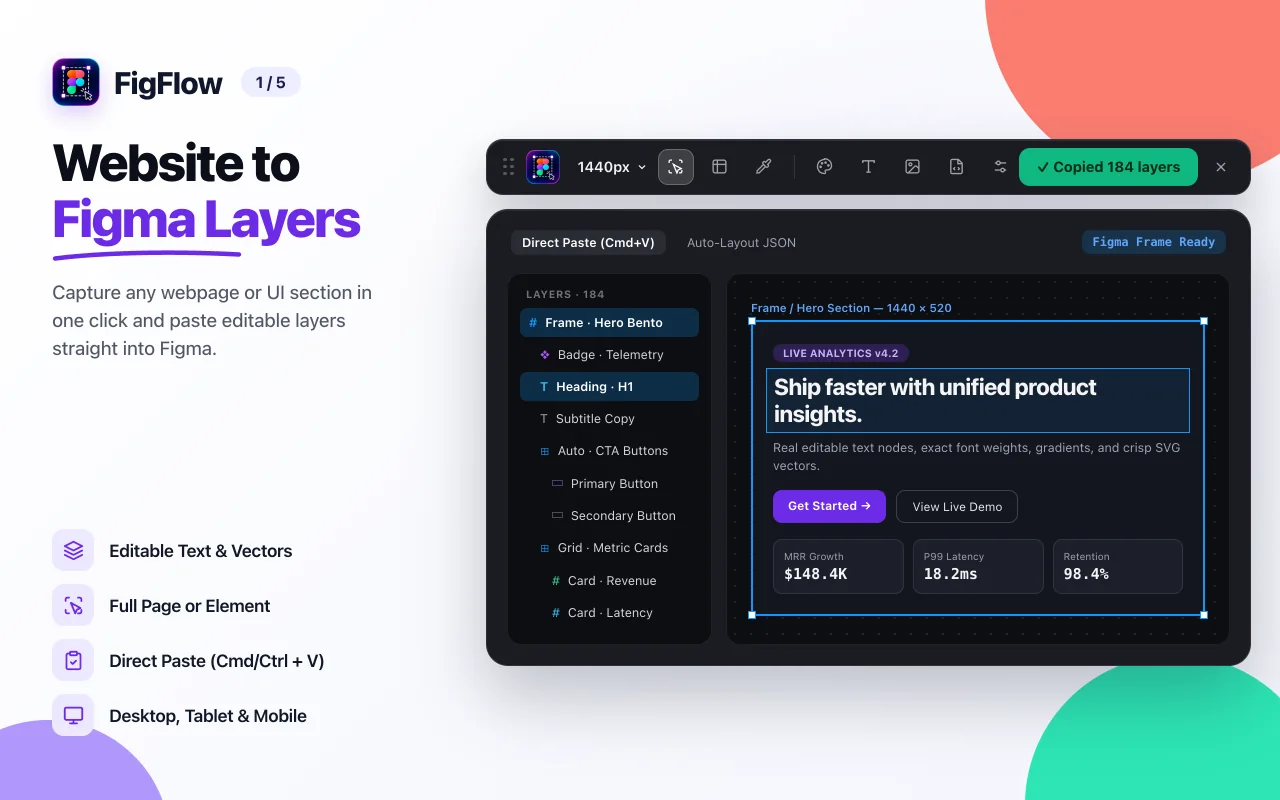
Copy in Chrome, then in Figma pressCmd / Ctrl+V
How it works
Step 1: Open a page
Any webpage, a localhost server or a local HTML file.
Step 2: Open FigFlow
Click the FigFlow toolbar icon to open its minimal floating bar.
Step 3: Copy
Click “Copy Page”, or select a specific section or element on the page.
Step 4: Paste in Figma
Open Figma and press Cmd + V on a Mac or Ctrl + V on Windows.
Your capture pastes straight onto the Figma canvas as organised, editable vector and text layers, not a flat screenshot.
What FigFlow does
HTML to editable Figma layers
Capture full pages or single DOM elements, keeping real text nodes, font weights, colours, borders, multi-layer CSS backgrounds, repeating vector patterns, canvas snapshots and sprite icons.
Responsive viewport presets
Export at your current window width, or choose Desktop (1440px), Tablet (768px), Mobile (390px), multi-viewport frames or custom dimensions.
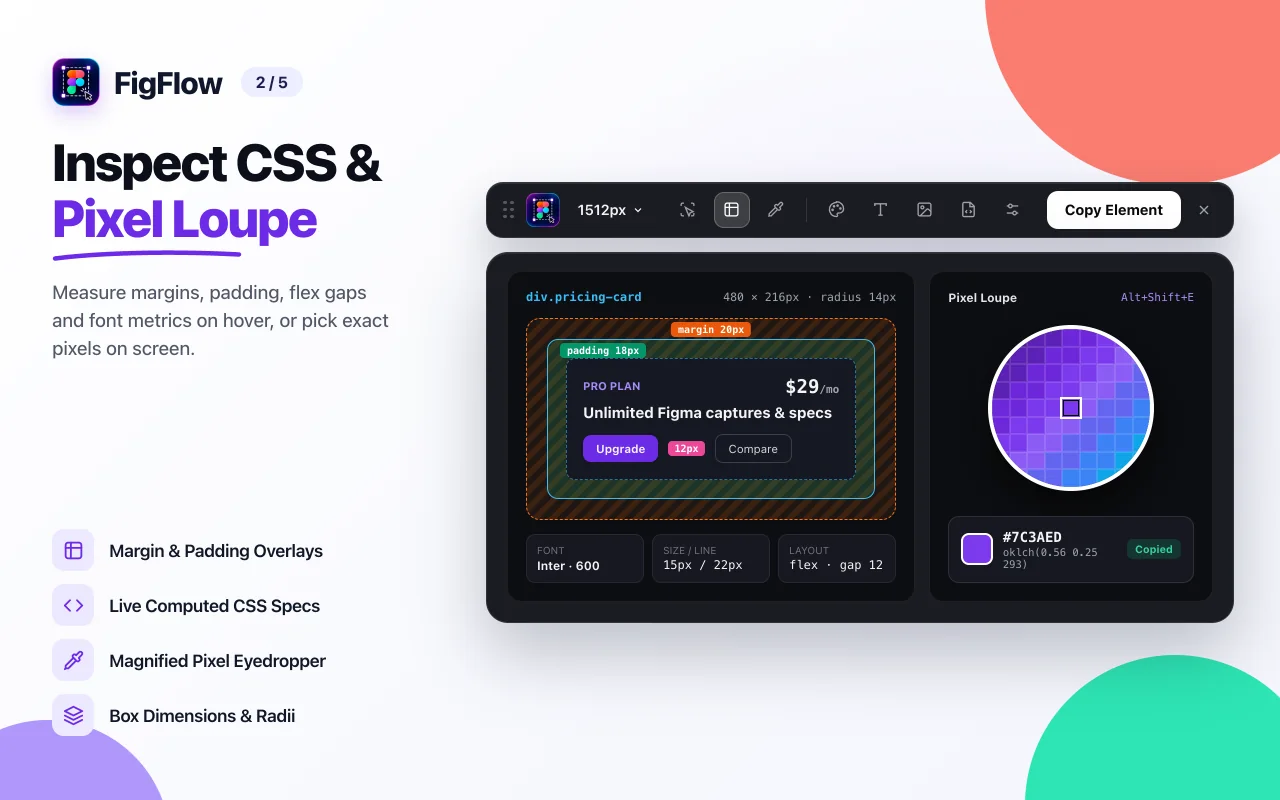
Live CSS inspector
Hover over any element to measure margins, padding, flex and grid gaps, dimensions, border radius, typography metrics and contrast, without opening DevTools.
Alt+Shift+X
Magnified pixel eyedropper
Sample any pixel on screen with a zoom loupe and copy the exact colour in HEX, RGB, HSL or OKLCH.
Alt+Shift+E
Brand palette and WCAG 2.1 contrast auditor
Scan surface, text, border and vector colours across the page, and see AA or AAA contrast issues at once.
Typography scanner
Review every computed font family, weight, size, line-height and letter-spacing scale the page uses.
Page asset extractor (.ZIP)
Preview and download inline SVGs, logos, images, videos and vector animations one by one, or bundled into a single .ZIP archive.
DESIGN.md and SKILL.md spec generator
Export Markdown design-system documentation, with semantic colour variables, type hierarchy, spacing rules and accessibility guardrails, for engineering handoff and coding workflows.
Works across web environments
Live production websites, embedded and cross-origin iframes, localhost development servers and local file:// HTML prototypes.
A closer look
 (opens the full-size picture in a new tab)
Inspect CSS and pixel loupe 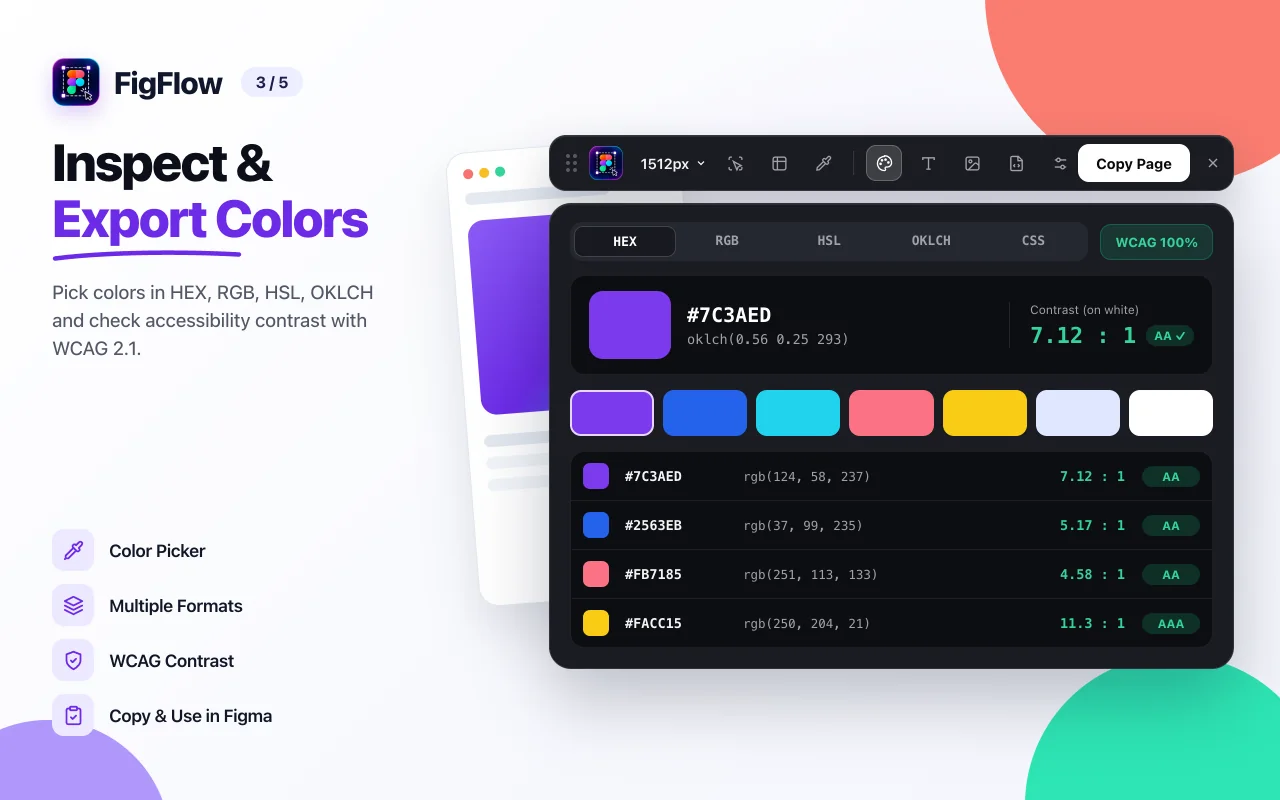 (opens the full-size picture in a new tab)
Inspect and export colours 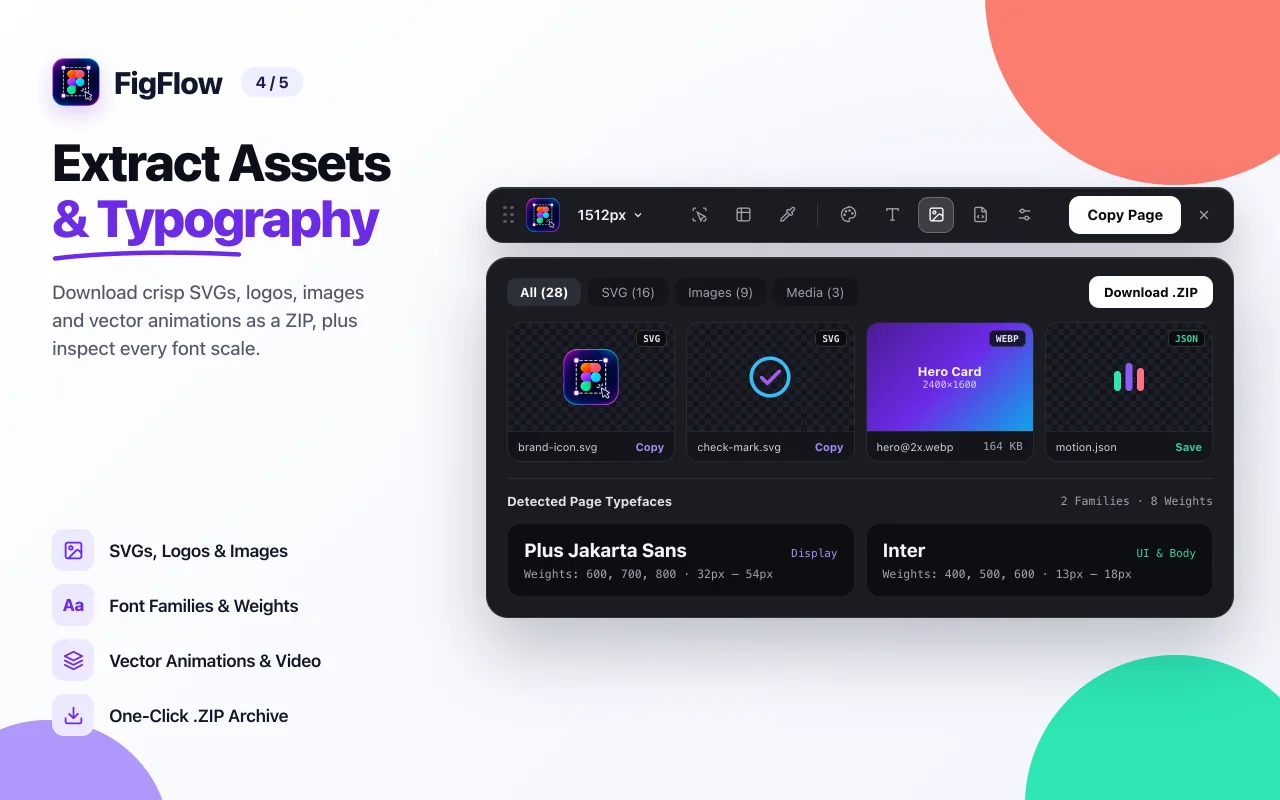 (opens the full-size picture in a new tab)
Extract assets and typography 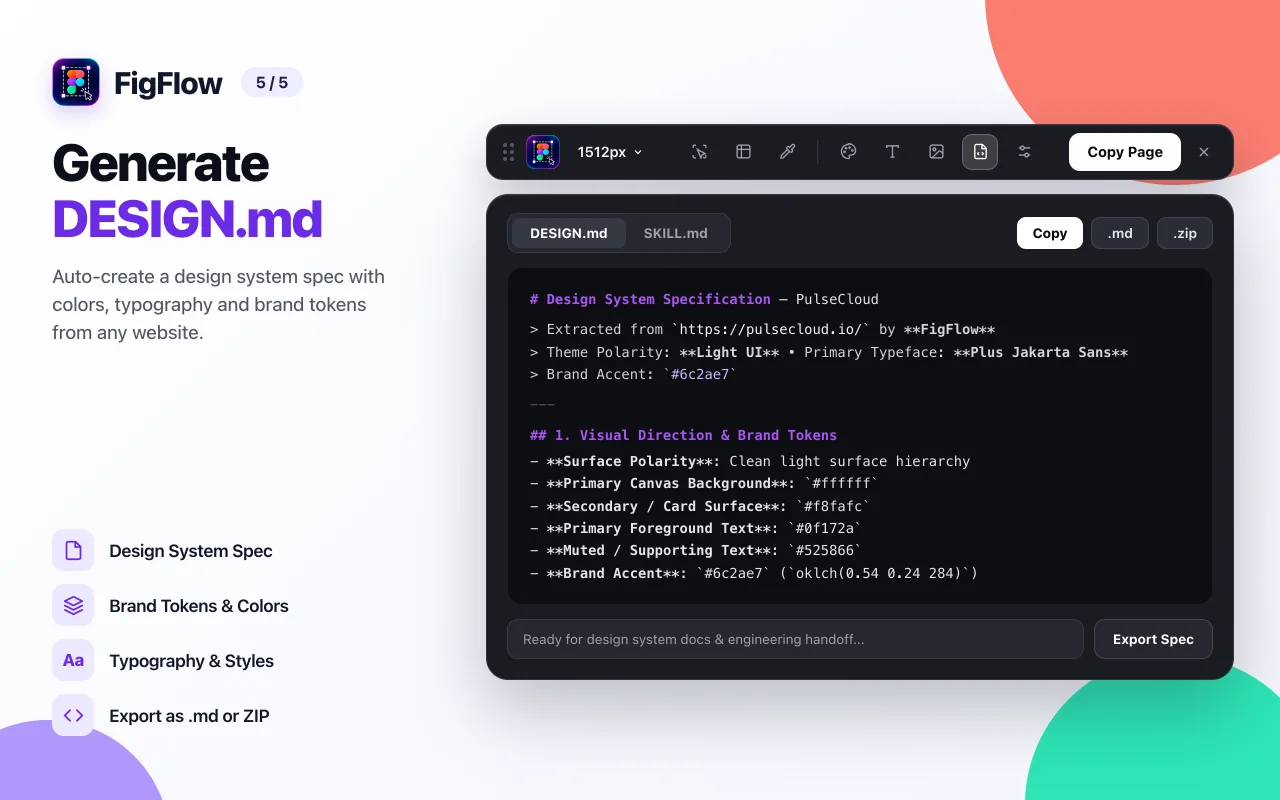 (opens the full-size picture in a new tab)
Generate DESIGN.md
Context menu and keyboard shortcuts
- Alt+Shift+C
- Pick an element and copy it to Figma
- Alt+Shift+X
- Turn the on-page Inspect Mode on or off
- Alt+Shift+E
- Open the magnified pixel eyedropper
100% local and privacy-first
- FigFlow runs entirely locally inside your browser.
- No account is required.
- No analytics are collected.
- No webpage content is uploaded to external servers.
Questions and answers
Do I need a Figma plugin to use FigFlow?
No. You copy in Chrome and press Cmd/Ctrl + V inside Figma. No companion Figma plugin is required.
Does it paste a screenshot or real layers?
Real layers. FigFlow turns the page into structured Figma frames with editable text, crisp vector graphics, accurate CSS layouts, gradients, shadows and high-DPI imagery, not a flat screenshot.
Can I copy just one part of a page?
Yes. “Copy Page” takes the whole page, or you can select a specific section or element. Alt + Shift + C picks an element and copies it to Figma.
Does it work on localhost and local files?
Yes. FigFlow supports live production websites, embedded and cross-origin iframes, localhost development servers and local file:// HTML prototypes.
Is my page sent to a server?
No. FigFlow runs entirely locally inside your browser. No account is required, no analytics are collected, and no webpage content is uploaded to external servers.
Is FigFlow made by Figma?
No. FigFlow is an independent tool made by ViPlay. It is not affiliated with, endorsed by, or sponsored by Figma, Inc.
Add FigFlow to Chrome
Free on the Chrome Web Store. No account, nothing uploaded.
FigFlow is an independent tool and is not affiliated with, endorsed by, or sponsored by Figma, Inc. Figma is a trademark of Figma, Inc. Chrome is a trademark of Google LLC.